
Download Varden eAvis – Newspaper, ePaper, Digital Edition, News, Archive, Read Online
Overview
Varden eAvis is a digital platform designed to deliver the print edition of the Norwegian newspaper Varden to users across mobile and eReader devices. Developed by Agderposten Medier AS, the application serves as a bridge between traditional print journalism and modern digital access. Its primary purpose is to allow readers to view, scroll through, and search the full digital replica of the newspaper, regardless of their physical location.
The app supports both subscribers and non-subscribers, offering universal access to the ePaper feature. Content becomes available at 23:00 the day before publication, Monday through Saturday, ensuring timely access for early readers. This functionality is especially beneficial for users who value the tactile and visual experience of a print layout but prefer the convenience of digital consumption.
Ideal for professionals, students, and general readers in Norway, Varden eAvis enables users to stay informed with local and regional news, culture, and current affairs. The application is optimized for on-the-go reading, making it a practical tool for commuters, remote workers, and anyone seeking a seamless blend of print tradition and digital accessibility.
Key Features & Capabilities
- Full ePaper Access: Users can view the complete digital replica of Varden’s print edition, including all pages, layout, and advertisements, exactly as published.
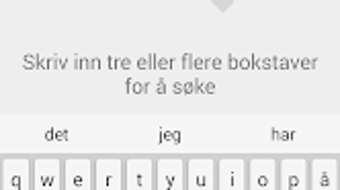
- Search Functionality: The app allows users to search across all available editions, enabling quick retrieval of articles, topics, or keywords from the newspaper’s archive.
- Historical Archive Access: Content dating back to earlier editions is available, providing long-term reference and research capabilities for users interested in historical coverage.
- Seamless Login: First-time users need to log in with a username and password, after which the app securely stores credentials for automatic access in future sessions.
- Timely Content Release: The digital edition becomes accessible at 23:00 the day before publication, Monday through Saturday, ensuring early access for readers.
These features collectively support a flexible reading experience. For instance, a researcher studying regional developments in southern Norway can use the search function to locate specific reports from past years. A commuter might read the latest edition during a train ride, enjoying the full layout without needing a physical copy. The inclusion of the archive ensures that the app is not just a daily tool but also a valuable long-term resource for reference and documentation.
User Interface, Workflow & Performance
The user interface of Varden eAvis is designed with readability and navigation in mind. The layout mirrors the original print edition, preserving the visual structure, fonts, and page flow. Users can scroll through pages with intuitive gestures, and the app supports pinch-to-zoom for detailed reading of images and text.
Navigation between editions is straightforward, with a calendar or list view to select specific dates. The login process is streamlined, requiring credentials only once, after which the app remembers the session. While specific performance metrics such as CPU or RAM usage were not provided, the app appears to be optimized for efficient operation on Android devices.
The developer did not specify resource usage details. Stability is expected to be consistent given the app’s focus on content delivery rather than complex processing. General software behavior patterns suggest smooth performance on modern Android devices, though older models may experience slower loading times for large editions.
The app’s workflow prioritizes speed and simplicity, enabling users to access content with minimal friction.
Compatibility & System Requirements
Varden eAvis is designed for Android devices and is available through the Google Play Store. The application supports a range of Android versions, though the exact minimum version was not specified. Installation size is not provided, but based on typical ePaper apps, it likely ranges from 20 to 100 MB.
The developer did not specify exact system requirements, including RAM, CPU, or storage needs. Compatibility information was partially provided. Users should ensure their device runs a recent version of Android to guarantee optimal functionality.
The app is not available for iOS or desktop platforms, limiting access to Android users. For users seeking a cross-platform solution, this may present a constraint. However, the focus on Android suggests a targeted development strategy for mobile readers in Norway, aligning with the regional distribution of the newspaper.
Pros and Cons
Pros
- Full access to the digital replica of Varden’s print edition
- Powerful search functionality across archived editions
- Available at 23:00 the day before publication for early access
- Seamless login with automatic credential recall
- Free to use for all users, including non-subscribers
Cons
- Only available on Android, not on iOS or desktop platforms
- No detailed system requirements or performance data provided
- Archive access may be limited to specific date ranges (not specified)
- Limited to Norwegian-language content
- Dependent on internet connection for content retrieval
FAQ Section
Is Varden eAvis available for iOS devices?
The app is currently only available for Android. There is no official version for iOS or desktop platforms.
Is the app free to download and use?
Yes, Varden eAvis is free to download and use. The ePaper feature is accessible to all users, regardless of subscription status.
Can I access past editions of Varden through the app?
Yes, the app provides access to archived editions dating back to earlier publications, though the exact range was not specified.
How often are new editions released?
New editions become available at 23:00 the day before publication, Monday through Saturday.
Do I need a subscription to use the app?
No, a subscription is not required. The ePaper feature is included for all users, both subscribers and non-subscribers.
Final Thoughts
Varden eAvis delivers a reliable and accessible way to experience the print edition of Varden in digital form. Its core strengths lie in full ePaper fidelity, search capabilities, and early access to new issues. The app successfully blends the authenticity of a printed newspaper with the convenience of mobile reading.
While it is limited to Android and lacks detailed system specifications, its user-friendly design and free access make it a strong choice for Norwegian readers. The inclusion of an archive and timely content release enhances its value beyond daily news. For those who appreciate the traditional layout of a newspaper but want digital flexibility, Varden eAvis is a well-executed solution.
Whether you're a local resident, a student, or a researcher, the app provides meaningful access to regional news and historical content. Download Varden eAvis now to enjoy the full print experience on your mobile device.







